
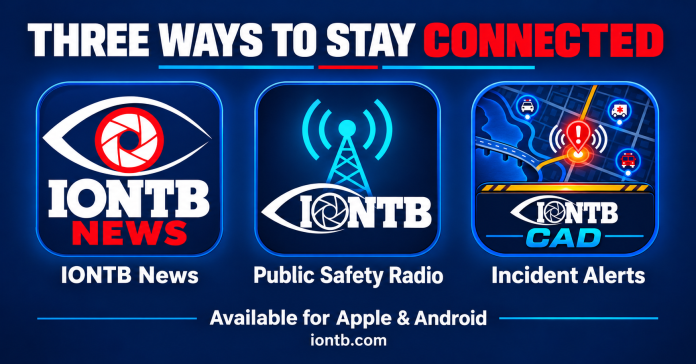
IONTB now offers three apps for Apple and Android, each providing a different way to follow local news and public-safety activity.
Whether you want notifications about newly published stories, access to public-safety radio, or customized alerts about incidents near you, there is an option designed for that purpose.
All three apps are free to download. IONTB News is free to use, scanner listening requires paid access, and IONTB Incident Alerts combines free public viewing with subscription-based personalized notifications.
| App | Main purpose | What’s free | What requires paid access |
|---|---|---|---|
| IONTB News | Local reporting and breaking news | Headlines, articles, saved stories and news notifications | No news subscription required |
| IONTB Public Safety Radio | Live and recorded scanner audio | App download | Scanner listening |
| IONTB Incident Alerts | Active calls, maps, history and personalized alerts | Public Calls, Map and Incident History views | Personalized push notifications and approved subscriber tools |
IONTB News brings local reporting directly to your phone. It is the starting point for readers who want to follow IONTB’s coverage without relying on a story appearing in their social-media feed.
Available for iPhone, iPad and Android devices, the app lets readers browse headlines, open articles, search previous coverage and save stories to revisit later. No reader account is required, and articles include advertising. Download IONTB News for Apple or Android.
Readers can choose the level of news notifications they want:
- All news alerts: Notifications for regular articles and breaking news.
- Breaking news only: Alerts for updates marked as breaking news.
- Off: Browse the app without receiving news alerts.
Notifications can include a photo when available. The app also provides access to IONTB’s weather information and resources for submitting news tips, photographs and video. These features are described in the IONTB News app listing.
When an article has a related Facebook post linked, readers can follow it to join the discussion about that particular story. That provides an easy route from reading the news to sharing comments with other readers. Get started with IONTB News.
IONTB Public Safety Radio is designed for listening. It provides access to available Pinellas County public-safety radio traffic through a phone, tablet or web browser, without requiring listeners to own scanner equipment.
Instead of listening to every available channel, users can select the radio channels—called talkgroups—that interest them. Favorites and saved channel combinations make it easier to switch between different listening preferences.
Features include:
- Live audio that continues while using other apps or with the screen locked.
- Selection of individual systems and talkgroups.
- Favorites and Quick Sets for commonly monitored channels.
- Recent-call replay and recorded-call history.
- Hold and Avoid controls for supported listening modes.
- Lock-screen and Bluetooth playback controls.
- Apple CarPlay and Android Auto support for compatible vehicles.
The Apple app also offers optional emergency-tone features for supported talkgroups. Available channels and features depend on account permissions and platform. View the Apple app or Android app.
The radio app is free to install, but listening requires an active IONTB scanner access code. Existing scanner customers can use their access with the new web scanner and app. A separate CAD Alerts plan is not required simply to listen. Scanner access information.
IONTB Incident Alerts helps users follow calls, locations and responding units. The app connects users with IONTB’s public-safety dashboard, offering a visual way to follow active incidents and review previous activity.
The Calls, Map and Incident History views are available without signing in. Users can explore available incident details, see responding units, view general-area locations and search history by details such as date, call type, incident number, location or unit. Signed-in users can also bookmark incidents. Download for Apple or Android.
The subscription service adds personalized notifications based on saved rules. Rather than receiving every incident, approved subscribers can focus on particular incident types, units, stations, addresses or response areas. These alerts can be delivered even when the dashboard is closed.
For example, a subscriber could configure a rule for a particular fire unit or selected call types within a chosen response area. Weather rules can follow selected alert types and locations, including areas outside Pinellas County. Additional sources and tools depend on the account’s approved access. Explore the dashboard.
On supported iPhones, optional Critical Alerts allow selected notifications to sound through Silent Mode or Focus when the user grants permission and enables the feature. Supported incident cards can also open the assigned fire TAC channel in the radio app when the appropriate scanner app and paid scanner access are available. Apple app features.
News alerts and incident alerts serve different purposes. IONTB News notifies readers about published reporting and editorial breaking-news updates. Incident Alerts uses saved rules to match information from public incident and weather feeds. A call appearing on the dashboard does not necessarily mean IONTB will publish an article about it.
You can purchase paid access separately or together. Standard public pricing checked October 9, 2026, is:
| Access period | Scanner Listener | CAD Alerts | Scanner + CAD All Access |
|---|---|---|---|
| 1 month | $9 | — | — |
| 3 months | $25 | $12 | $39 |
| 6 months | $45 | $20 | $69 |
| 12 months | $79 | $30 | $99 |
The annual combination provides both services for $10 less than purchasing the two annual plans separately. Eligible customers may have separate special offers; the prices above are the standard public plans. Check the current subscription options before purchasing.
Scanner access uses a scanner access code, while CAD subscribers set up their account with a username and password. After checkout, keep the setup page open until it confirms access is ready.
For readers primarily interested in local journalism, start with the free IONTB News app. Choose Public Safety Radio to listen to available radio traffic, or Incident Alerts to follow calls and create personalized notifications. Those who want both listening and incident notifications can choose the combined access plan.
IONTB is independently operated and is not affiliated with a government agency or emergency dispatch center. Public-feed information may be delayed, incomplete, or updated; map locations may be approximate, and notification delivery is not guaranteed. For emergencies, call 911 and follow official instructions.